
Portal Features
A completely new experience that makes referring clients easier, gives you full visibility on where things are at, and — here’s the exciting part — opens the door for me to refer clients back to you too.
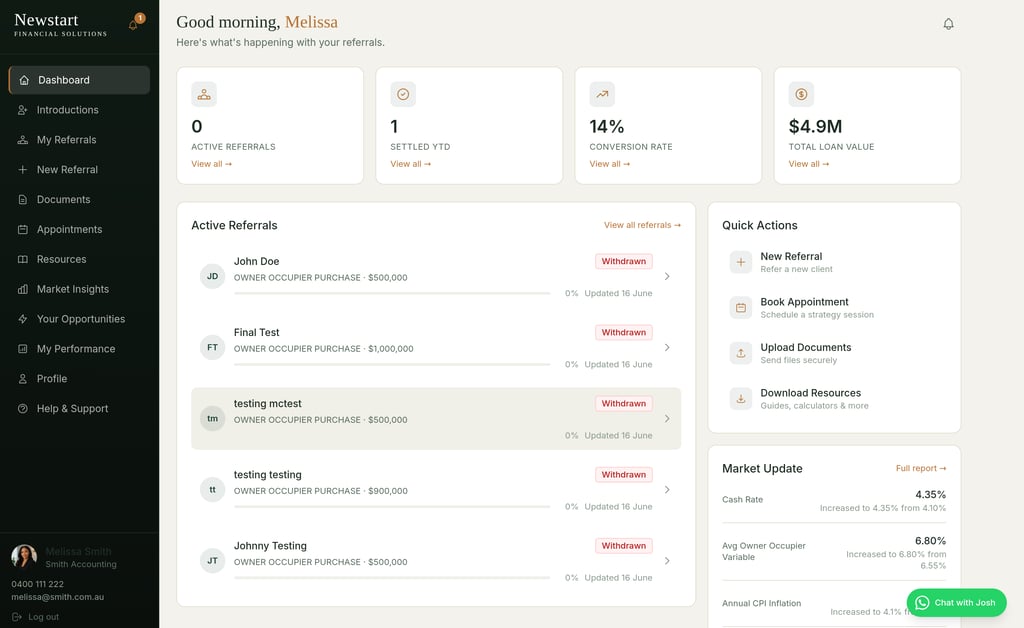
Dashboard - Everything at a Glace.
The moment you log in, you’ll see your active referrals, conversion rate, total loan value, and quick action buttons — all in one place. No hunting around. You’ll also see a live Market Update widget with the latest Cash Rate, Average Variable Rate, and CPI Inflation figures, updated daily from the RBA.
Track Every Referral in Real Time
When you refer a client through to us the system will generate you an automatic email that you just have to cut and paste to inform your client that we will be reaching out to them, simple! Once you submit a referral, you can follow its journey from submission right through to settlement. Each stage is colour-coded so you can see at a glance where things stand:
🟢 Green — Settled, approved, or actively progressing 🟠 Amber — Under assessment or lodged 🔴 Red — Declined or withdrawn
No more wondering “what happened with that client I sent through?” — it’s all right there.rage Variable Rate, and CPI Inflation figures, updated daily from the RBA.
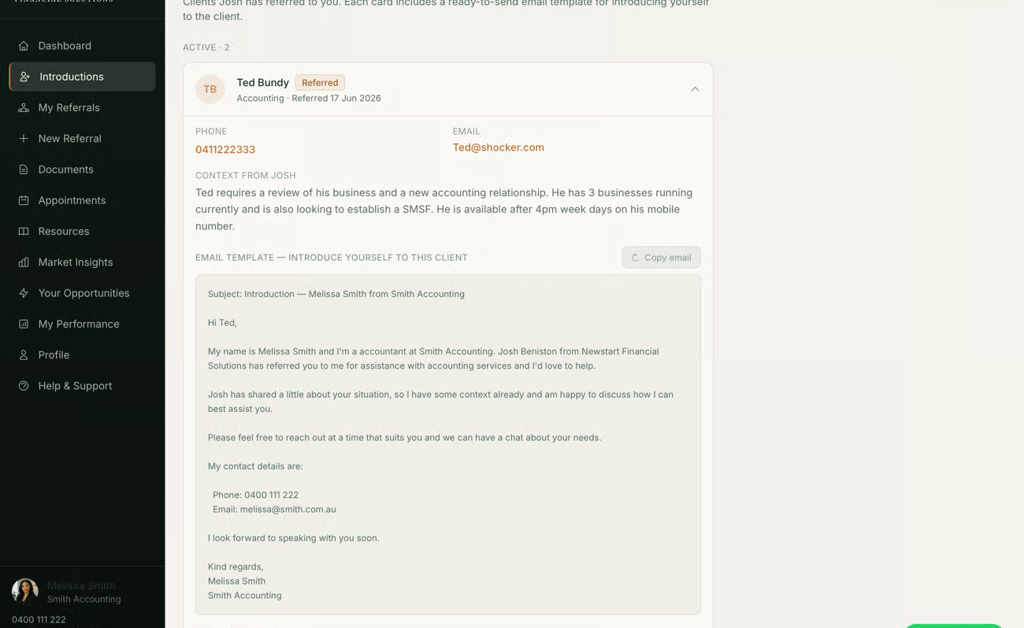
Referrals Both Ways!
This is something I’m really excited about. When I’m working with a client who needs a buyers agent, conveyancer, accountant, financial planner or solicitor — I can now refer them directly to you through the portal.
You’ll get an email notification and the client’s details will appear in your Introductions tab, complete with a ready-to-use email template so you can reach out to them straight away, tailored to you and your business.
If you know other professionals in your network who’d benefit from this kind of two-way referral relationship, I’d love for you to introduce us. The more we can help each other’s clients, the better the experience for everyone.
Upload Documents & Access Resources
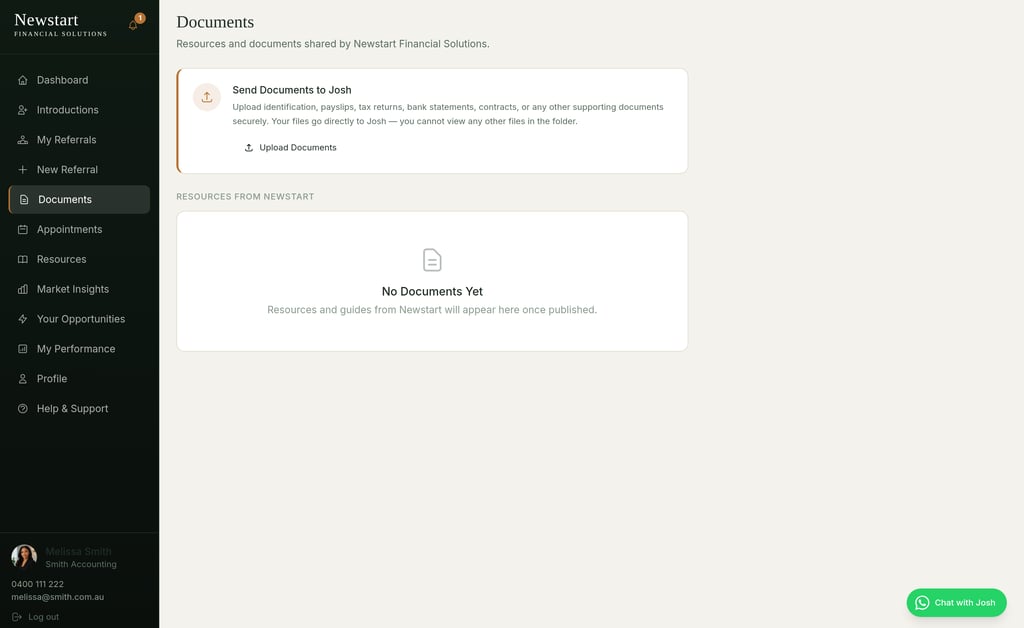
You can now attach supporting documents (payslips, pre-approvals, ID) directly to any referral — right from within the portal. No more emailing files back and forth.
There’s also a Resources section packed with guides you can use (and share with your clients): - How to make a successful referral - What documents clients need - Understanding the loan process - Loan type comparisons (owner occupier vs investment, construction, refinancing)
These are designed to help your clients feel prepared before I even speak to them.
See how you're tracking
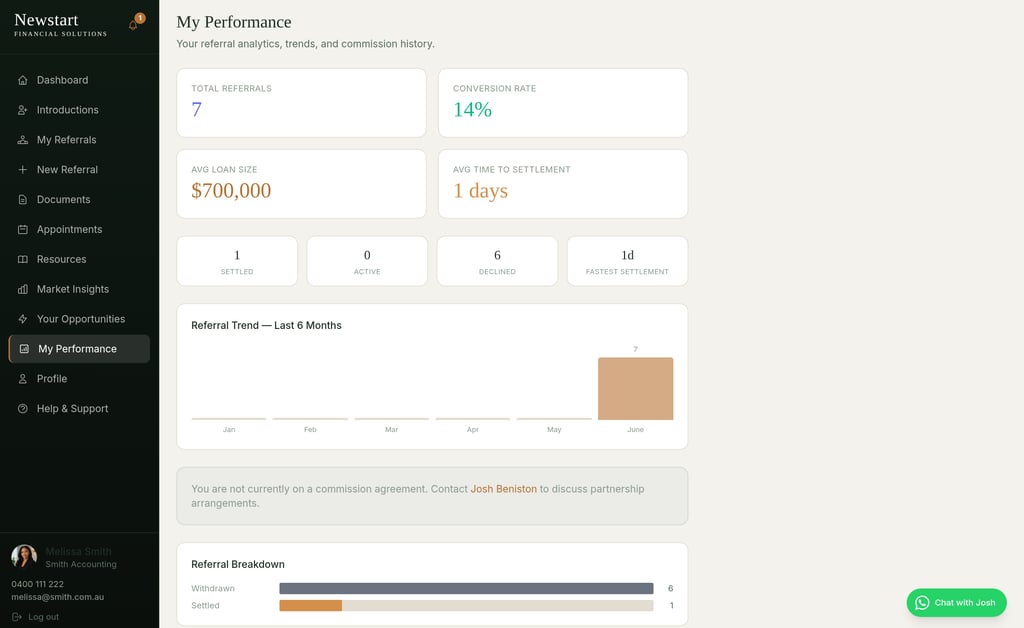
Your My Performance page gives you a clear picture of your referral activity — total referrals, conversion rate, average loan size, time to settlement, and a 6-month trend chart. It’s a great way to see the impact of the clients you’re sending through.
Three ways to access your portal
Desktop / Laptop — Full Experience Visit newstartfinancialsolutions.com and bookmark it for quick access. You’ll get the complete portal with sidebar navigation, analytics, resources, and everything else.
iPhone — Express Mode Open newstartfinancialsolutions.com on your iPhone for a streamlined mobile experience. Quick Refer a client in under 30 seconds, check statuses on the go, and switch to the full portal anytime. Save it to your home screen for app-like access. Or better yet download the app on the apple app store - Click the button at the bottom of this email.
iPad — Full Portal, Tablet-Optimised The full portal works beautifully on iPad. Same sidebar, same features — just optimised for the tablet screen. Download the app or bookmark it or add to your home screen.
Pro tip: On iPhone, Android phone or iPad, tap the Share button → “Add to Home Screen” and it’ll feel just like a native app.
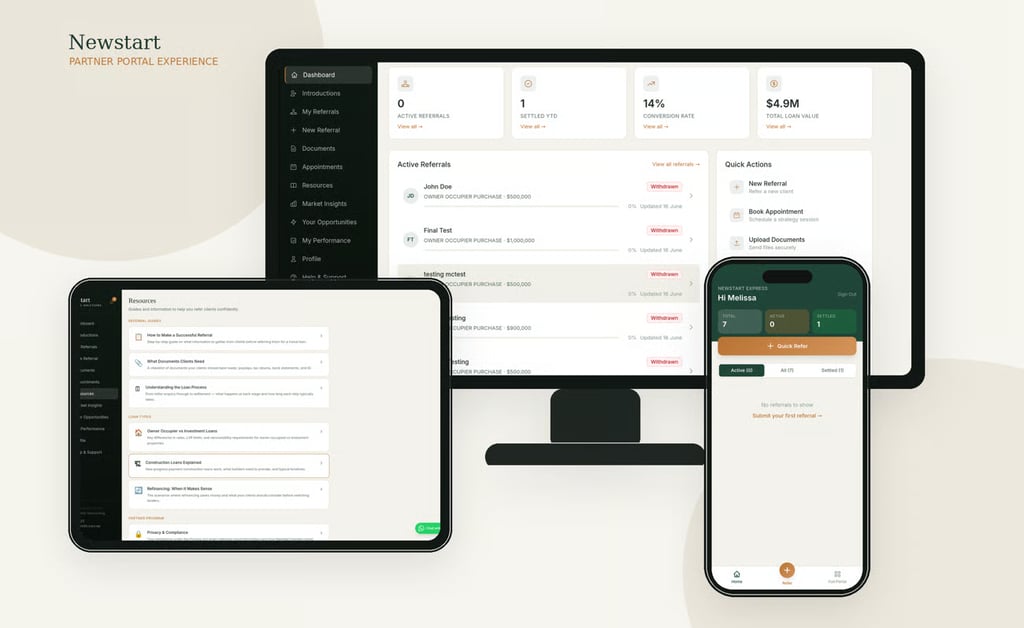
Complete visual redesign — clean, modern, easy to navigate
✅ Partner profile page — update your details, upload a profile photo
✅ Document uploads — attach files directly to referrals (payslips, ID, pre-approvals)
✅ Real-time notifications — get alerts when your referral status changes
✅ Market insights — live Cash Rate, variable rates, and CPI data on your dashboard
✅ Resources library — guides on referral best practices, loan types, and document prep
✅ Performance analytics — see your conversion rate, trends, and settlement times
✅ WhatsApp chat — message me directly from the portal
✅ Password reset — if you ever get locked out, you can reset it yourself
✅ CRM integration — your referrals sync automatically with our system